I came across kagent a couple of weeks ago, but took sometime to test this in my dev Kubernetes cluster. In this latest post, I’m sharing my experience and insights.
A simple explanation about this kagent from the page:
“Kagent is an open-source programming framework that brings the power of agentic AI to cloud-native environments. Built specifically for DevOps and platform engineers, Kagent enables AI agents to run directly in Kubernetes clusters to automate operations, troubleshoot issues, and solve complex cloud-native challenges“
So, let’s dive in.
Prerequisites
- Helm
- OpenAI API Key
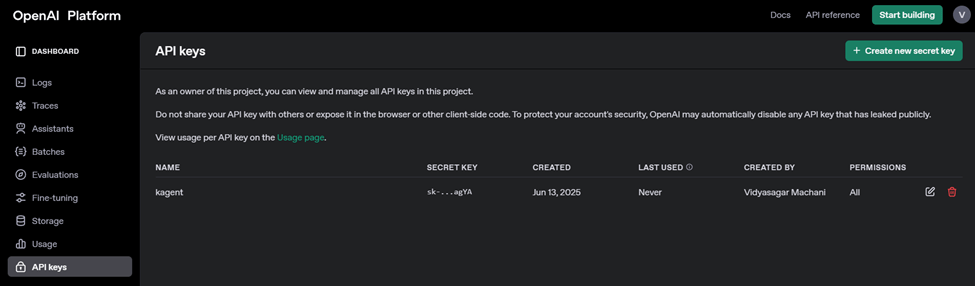
OpenAI API Key generate:
You should add some credit, (FYI: OpenAI Billing link), for testing purpose I added $5.

Now, under API Keys section, generate the API Keys, copy the key for later purpose.
Installing kagent
Installing kagent is pretty straight forward, you can refer this link
- Install CRD’s
helm install kagent-crds oci://ghcr.io/kagent-dev/kagent/helm/kagent-crds --namespace kagent --create-namespace
- Set the
OPENAI_API_KEYenvironment variableexport OPENAI_API_KEY="sk-proj-........"
- Install the kagent Helm chart:
helm install kagent oci://ghcr.io/kagent-dev/kagent/helm/kagent --namespace kagent --set providers.openAI.apiKey=$OPENAI_API_KEY
Verify the agent status:

You can either port-forwarding or use expose the pod using NodePort service. I used NodePort.
apiVersion: v1
kind: Service
metadata:
  name: kagent-nodeport
  namespace: kagent
spec:
  type: NodePort
  internalTrafficPolicy: Cluster
  selector:
    app.kubernetes.io/instance: kagent
    app.kubernetes.io/name: kagent
  ports:
    - name: ui
      port: 80
      protocol: TCP
      targetPort: 80
      nodePort: 32728
  externalIPs:
  - a.b.c.d
Once you deploy, you should be able to access the kagent ui with the url: http://a.b.c.d:32728
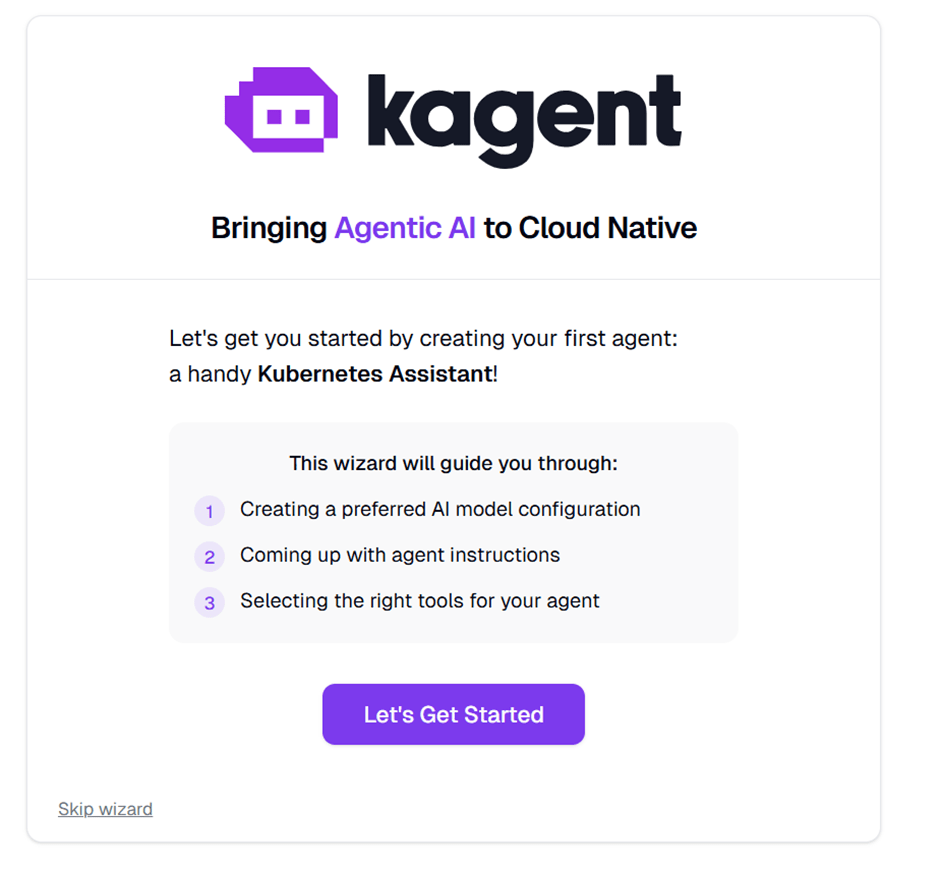
Now, let’s start deploy the Agent


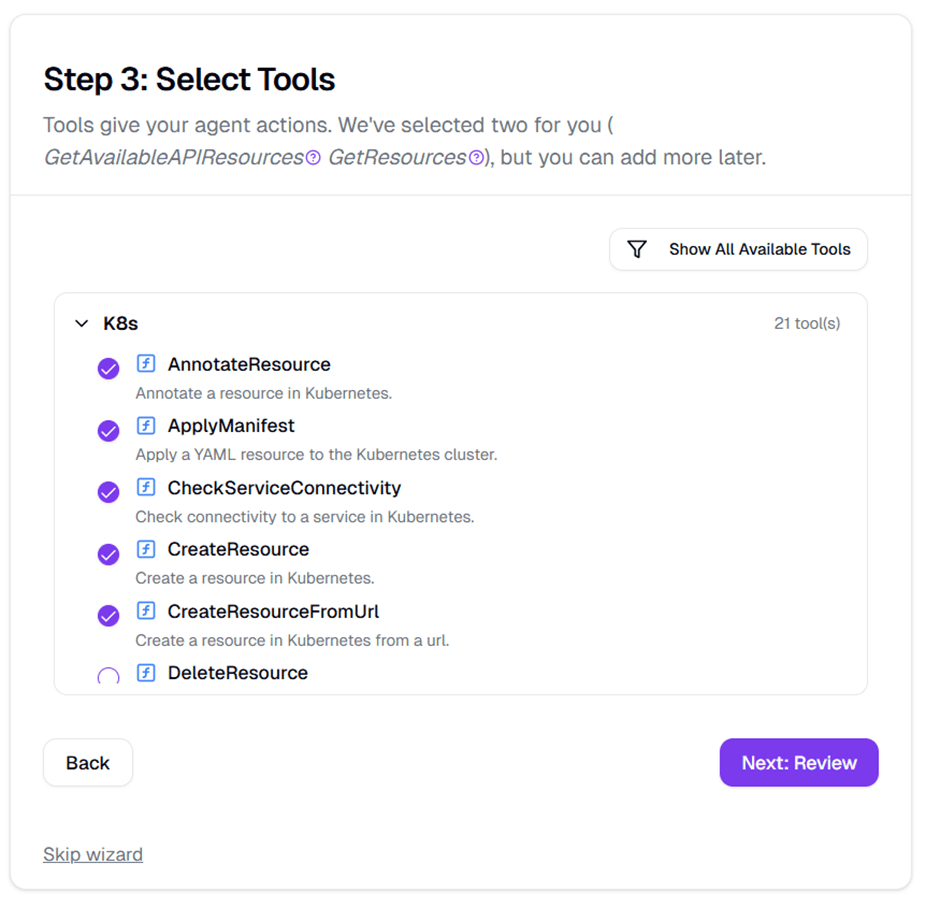
Tools are the commands that the agent can run to interact with the environment. As LLMs don’t have the ability to run commands, tools are the way to bridge the gap between the agent and the environment.

In the home page, you can notice the agent which is just created:

Choose the agent just created “my-test-k8s-agent”
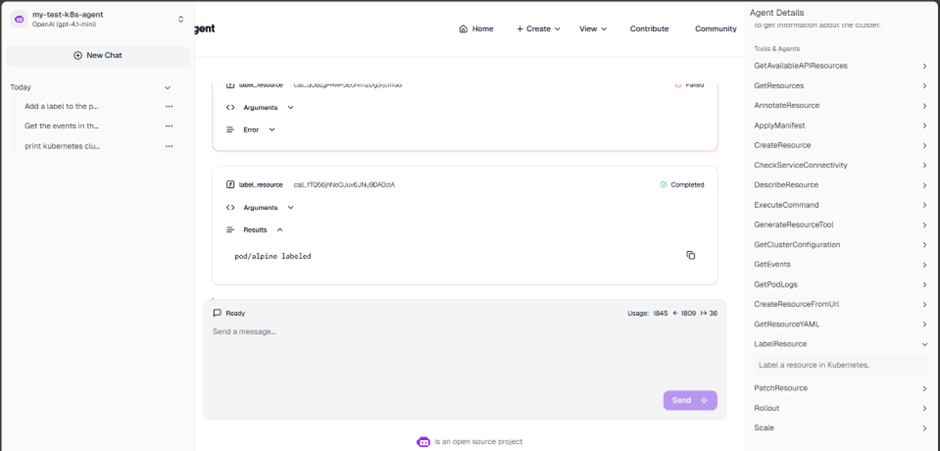
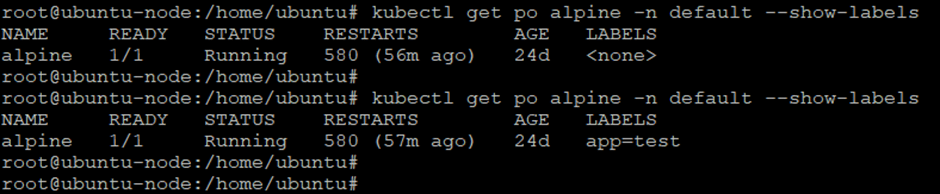
I ran couple of queries, in the below snap, I tried to add a label to a pod
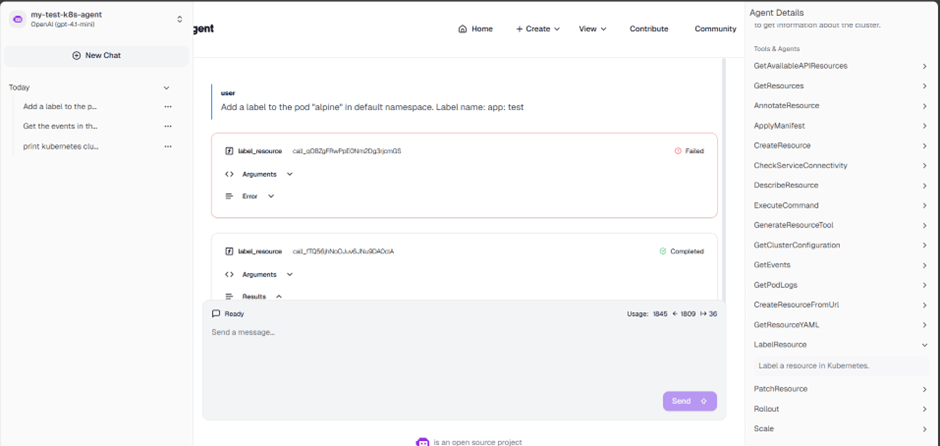
verified the same on my cluster
Conclusion:
After testing kagent, my initial impression is that although its current capabilities are limited and would benefit from further improvements, it marks a promising step toward integrating MCP-enabled tools with agentic AI.
 Telemetry Compass
Leave a comment